Rendering a 4D hypercube in code
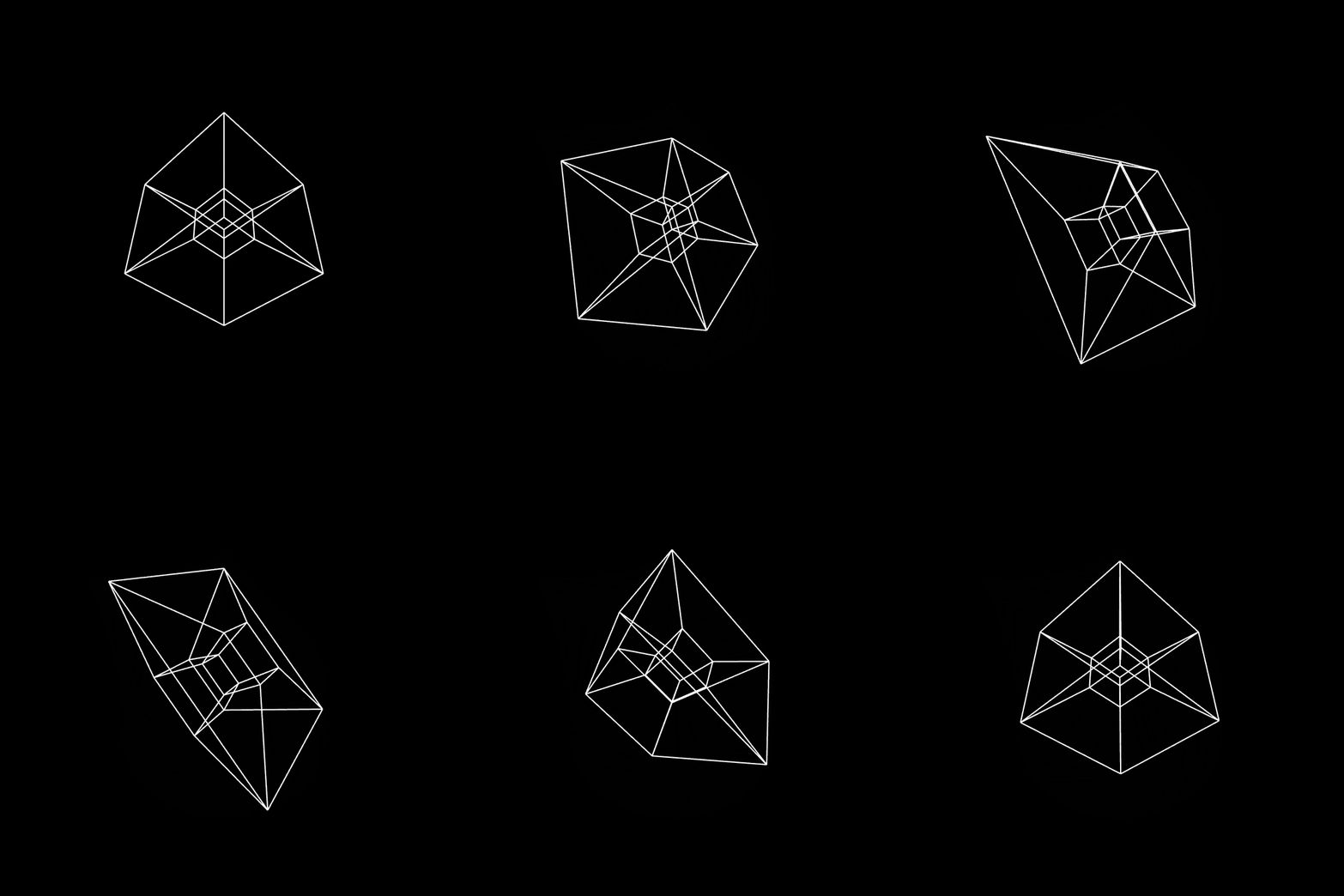 Hypercube
The hypercube, more often called the tesseract, is a shape that lives in four-dimensional space. If you remember the tesseract scene in the movie "Interstellar", you've already seen a version of it. But how do we visualise a 4D object in our 3D world, and then draw it on a 2D screen?
Mathematically, a point on a line can be represented by a single number , on a plane by a pair , and in space by a triplet . The fourth dimension is a bit trickier. Imagine a new axis, , that's perpendicular to the other three. This gives us a 4D point represented as . Just as a square is to a cube, a cube is to a hypercube. It's the 4D analog of our familiar 3D cube. If you've ever wondered how a cube would cast a shadow in 4D, it would look like a hypercube!
Each vertex of a hypercube in 4D space can be represented by a 4-bit binary number. Mathematically, a vertex in n-dimensional space can be represented as:
where each is a bit (0 or 1).
With a bit of combinatorics, a hypercube has vertices and edges.
Projection maps points from a higher-dimensional space to a lower one. A 3D object casting a 2D shadow is a projection, and seeing a 4D object in 3D works the same way: you "slice" it so its structure shows up in three dimensions.
In 4D there are hyperplanes like the XY and ZW planes, and a point can be rotated around them using rotation matrices. A rotation in the XY plane looks like:
After rotating, we need to fake a sense of depth. Perspective projection does this by dividing by the fourth dimension, :
The last piece is the difference between orthographic and perspective projection, which is really just how we choose to view the 3D object on a 2D screen.
Modern computer graphics handle all of this with a series of matrix multiplications. The viewport transformation fits the 3D object within the bounds of the screen, and the camera sets the angle we view it from.